You can change the order of the elements (tabs in the widget) adding a number to each one, player_order, thumb_order, link_order. If you not assign a number the default order will be used for that element: The shortcode used is this:
Read more »

You can change the order of the elements (tabs in the widget) adding a number to each one, player_order, thumb_order, link_order. If you not assign a number the default order will be used for that element: The shortcode used is this:
Read more »
In the post YouTube JavaScript Player API, I appreciated that the YouTube JavaScript API does not have any method to show the video in full screen mode. Therefore, if we want to create our own HTML controls to play the video and add a button to display it in full screen mode we …
Read more »
This demo shows how to use the plugin to display a playlist. Like other examples, I have also customized the CSS to show a different possibility: h3.TEDTalks{ border-bottom: 3px solid #ff2b06; margin-bottom: 15px; color: #ff2b06; } .ytc-thumbnails{ overflow: hidden; } .ytc-thumbnails .ytc-row{ border-bottom: 3px solid #ff2b06; margin-bottom: 25px!important; } a.ytclink{ color: #ff2b06; } The used …
Read more »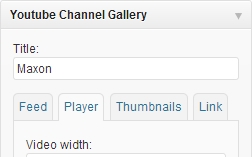
The ’Youtube Channel Gallery‘ plugin shows a video and a thumbnail gallery, which are played on the player of a YouTube user. Demos: Demo only with thumbnails Demo with the …
Read more »
In this demo, I have adjusted the values so that only the thumbnails are displayed below the player. The shortcode used is this:
Read more »